
AI & computing
AI workstation: how to choose the GPU, processor and memory
Which workstation should you choose to run AI on premises? RTX PRO card, processor, memory, storage, power and four typical configurations, from entry level to multi-GPU.
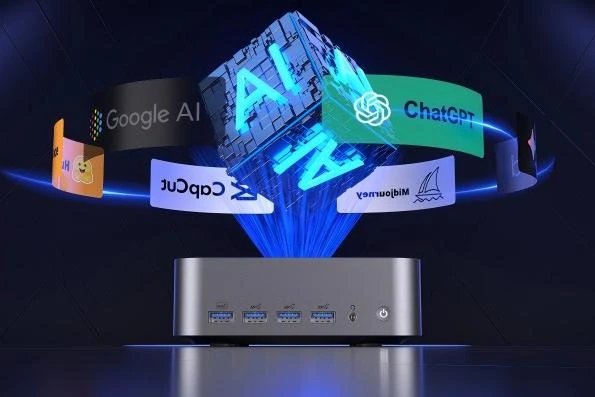
An AI workstation is not chosen like a powerful desktop computer. The component that decides almost everything is the graphics card, and more precisely its memory. The processor, RAM, storage and power supply must then keep pace, without being oversized. This guide explains the order in which to reason and suggests four typical configurations, from an entry-level workstation to a multi-GPU machine.
The graphics card first
For inference and fine-tuning alike, the model and its working data must fit in GPU memory. So it is the size of the models you are aiming for that sets the card, not the other way round. NVIDIA RTX PRO Blackwell professional cards offer ECC memory, certified drivers and a design built to run for hours at full load:
- RTX PRO 4000 Blackwell: 24 GB, single slot, 140 W. Quantised models up to around thirty billion parameters, vision, transcription.
- RTX PRO 4500 Blackwell: 32 GB, 200 W. A good balance for a team assistant on a mid-sized model.
- RTX PRO 6000 Blackwell Max-Q: 96 GB, 300 W. Models of 70 billion parameters and more, long contexts, several users.
Consumer GeForce cards are fine for experiments, but their smaller memory and lack of ECC limit professional use. To compare an RTX PRO workstation with a compact DGX Spark system, see our guide DGX Spark or RTX PRO 6000.
Processor, memory, storage, power
Processor. During inference, the GPU does most of the work. The CPU matters mainly for preparing data, running other software and feeding several cards. An Intel Core Ultra 9 or AMD Ryzen 9 PRO is enough for one card; beyond two cards, an Intel Xeon or AMD Threadripper PRO platform provides the PCIe lanes needed.
System memory. Plan at least as much RAM as GPU memory, ideally twice as much: models are loaded from system memory and data-preparation tools use a lot of it. 64 GB for a 24 to 32 GB card, 128 to 256 GB around an RTX PRO 6000.
Storage. Model files weigh from a few gigabytes to more than 100 GB. A 2 TB NVMe SSD is a comfortable minimum, with a second drive for datasets and backups.
Power and cooling. Check power supply capacity, 16-pin PCIe connectors and airflow. Blower-cooled Max-Q versions make it easier to fit two cards side by side. We validate these points for each chassis before proposing a configuration.
Four typical configurations
| Profile | Graphics card | Processor and memory | Uses |
|---|---|---|---|
| Entry level | RTX PRO 4000 (24 GB) | Core Ultra 7 or 9, 64 GB | Development, small models, vision |
| Team | RTX PRO 4500 (32 GB) | Core Ultra 9 or Ryzen 9 PRO, 64 to 128 GB | Document assistant for a team |
| Advanced | RTX PRO 6000 Max-Q (96 GB) | Xeon or Ryzen 9 PRO, 128 to 256 GB | 70-billion-parameter models and up, fine-tuning |
| Multi-GPU | 2 × RTX PRO 6000 Max-Q | Xeon or Threadripper PRO, 256 GB and up | Several models, many users |
Our desktop workstations include, for example, the Lenovo ThinkStation P4 with an RTX PRO 4000, as well as HP Z and Xeon-based ThinkStation P5 models that can take a more powerful card. To work on the move, see our mobile workstations.
Linux or Windows?
Most AI tools (CUDA, PyTorch, vLLM, Docker) are designed for Linux first, and a dedicated AI workstation gains in simplicity and stability there. Windows 11 Pro remains relevant if the machine also runs CAD or office software; WSL2 then lets you run the Linux tools. We prepare either system, or both in dual boot, depending on your use.
Frequently asked questions
Is one large card better than two mid-range cards?
A single card with plenty of memory is simpler and more efficient for one large model. Two cards are useful to run several models in parallel or spread users across them.
Can I add an RTX PRO card to my current workstation?
Often, yes, if power, space and cooling allow. Send us the exact model of your machine: we check compatibility before any order.
Do you deliver these workstations outside France?
Yes, on quotation: the workstation is prepared and tested in our workshop, then shipped with its documents. See our guide buying professional hardware in France for export.
Pepro sizes the workstation to your models and users, prepares it with the AI environment installed and can integrate it with your tools as part of its business AI services. For a price delivered to your country, request an export quote.