
From choosing hardware to getting started
Prepare your computers.
Organise their commissioning.
A new employee, computers to replace or new offices to equip? Pepro supports your company’s IT installation from Grigny, in Essonne, on site or remotely depending on the project.
Pepro helps you choose equipment suited to your trades, then prepares commissioning: software, accounts, access and data to migrate. You get a working environment designed for your organisation.
Hardware and installation come together in a detailed proposal. You know what is planned, how the transition will be organised and what your teams will be able to use from day one.
See what we take care of ↓
Equipment that serves the people who use it.
What it changes for you
Less preparation for you.
More simplicity for your teams.

Consistent equipment
Computer, monitor and peripherals chosen together, according to uses and compatibility.

Your tools at hand
Applications, accounts and files prepared according to the scope chosen for your project.

A supported transition
Planned installation, essential functions checked and onboarding with your staff.
Ten ways to equip your organisation
Choose your starting point.
We size the rest.
Open an offer to see the proposed hardware and prepare your request. The quote separates equipment, licences, options and services; it confirms the project’s composition, timeline and price.
01Installed office workstationOne employee, their applications and a computer ready to use.
Starting composition
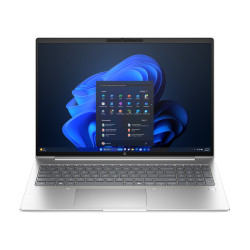
- 1 × HP ProBook 4 G1iR 16-inch — Core 5 120U, 16 GB, 512 GB SSD, Windows 11 Pro
- 1 × Philips 242S1AE — écran ergonomique 23.8 inches
- 1 × Logitech MK540 Advanced Wireless Combo — business wireless keyboard and mouse
References and quantities confirmed in the quote depending on availability.
Commissioning to plan
- Configuration of the computer and authorised accounts
- Licensed applications and connection to peripherals
- Checks and onboarding
Two variants to size
- One computer: configuration and handover to the employee
- A team: number of computers and deployment schedule defined in the quote
Migration, travel and licences optional. Business software and access rights to be specified.
Service details: Preparation and configuration of a business computer
Get a quote for this offer ↗02Equipped professional workstationA mobile computer and an office monitor for professional use.
Starting composition
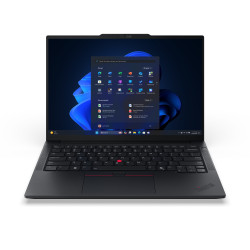
- 1 × Lenovo ThinkPad E14 Gen 7 — Ryzen 5 230, 16 GB, SSD 512 GB
- 1 × Philips 27B1U5601H/00 — écran 27 inches, 2 560 x 1 440 à 75 Hz
- 1 × Logitech Signature MK650 Combo for Business — comfortable wireless keyboard and mouse set
References and quantities confirmed in the quote depending on availability.
Commissioning to plan
- System, applications and accounts preparation
- Connection of the monitor and peripherals
- Check of agreed uses
Two variants to size
- Mobility: portable et préparation
- Office: laptop, monitor and peripherals
Dock and cables chosen after checking ports, charging and displays. Migration and licences separate.
Service details: Preparation and configuration of a business computer
Get a quote for this offer ↗03Remote-work setupWork and communicate remotely with consistent equipment.
Starting composition
- 1 × HP ProBook 4 G1iR 16-inch — Core 5 120U, 16 GB, 512 GB SSD, Windows 11 Pro
- 1 × Philips 242S1AE — écran ergonomique 23.8 inches
- 1 × Logitech Brio 300 — Full HD 1080p professional USB-C webcam
References and quantities confirmed in the quote depending on availability.
Commissioning to plan
- Applications and accounts preparation
- Audio/video calling configuration
- Check of authorised remote access
Two variants to size
- Essential: laptop and preparation
- Comfort: additional monitor and webcam
Headset, home network and remote access to be sized. Collaboration licences, VPN and migrations are separate.
Service details: Preparation and configuration of a business computer
Get a quote for this offer ↗04Small business storage and backupShared storage and a backup strategy to define together.
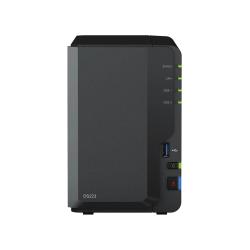
Starting composition
- 1 × Synology DS223 — 2-bay NAS, diskless
- 2 × Synology Plus HAT3300 4 To — Disque dur interne 3.5 inches SATA spécial NAS 24/7
References and quantities confirmed in the quote depending on availability.
Commissioning to plan
- Drive installation and storage setup
- Shared folders and access rights
- Backup and restore check if included in the quote
Two variants to size
- Local: NAS and two 4 TB drives
- With separate copy: external or off-site destination sized
8 TB raw before RAID and formatting; usable capacity depends on configuration. RAID and backup are separate. UPS, data transfer and off-site backup optional.
Service details: NAS installation and configuration
Get a quote for this offer ↗05Storage and backup for growing organisationsA NAS infrastructure sized for your data and users.
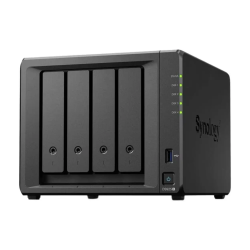
Starting composition
- 1 × Synology DiskStation DS925+ — expandable 4-bay NAS
- 4 × Synology Plus HAT3300 4 To — Disque dur interne 3.5 inches SATA spécial NAS 24/7
References and quantities confirmed in the quote depending on availability.
Commissioning to plan
- Volume and permission organisation
- Data migration as defined in the quote
- Backup plan and agreed checks
Two variants to size
- Shared storage: NAS and four 4 TB drives
- Continuity: UPS and off-site copy sized
16 TB raw before RAID and formatting. Throughput, retention, usable capacity and restore to be sized. UPS, backup destination, licences and monitoring separate.
Service details: NAS installation and configuration
Get a quote for this offer ↗06Installed business Wi-FiAccess points and power suited to the locations in your premises.
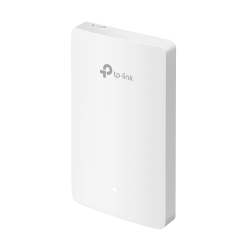
Starting composition
- 1 × TP-Link Omada EAP615-Wall — Wi-Fi 6 AX1800 wall access point with Gigabit ports
- 1 × TP-Link TL-PoE160S — Gigabit PoE+ injector, 802.3at/af, up to 30 W
References and quantities confirmed in the quote depending on availability.
Commissioning to plan
- Survey of locations and connection needs
- Configuration of the chosen networks and access
- Coverage check at agreed points
Two variants to size
- One space: a wall access point and a PoE+ injector
- Several spaces: access points, PoE switch and controller sized
This starting composition is not a coverage promise. Cabling, mounting, controller, subscriptions and travel are priced according to the site.
Service details: Network and Wi-Fi installation and configuration
Get a quote for this offer ↗07Installed shared printingA colour multifunction printer integrated into your team’s environment.
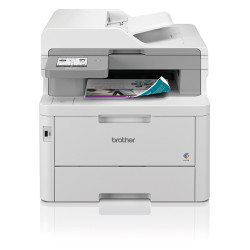
Starting composition
References and quantities confirmed in the quote depending on availability.
Commissioning to plan
- Connection to the available network
- Installation on the computers defined in the quote
- Check of the chosen printing and scanning
Two variants to size
- Small group: printer and connection
- Team: driver deployment and access on several computers
Supplies, paper, cabling and per-computer deployment are specified in the quote. Scan destinations and permissions to be confirmed.
Service details: On-site computer deployment — batch to be sized
Get a quote for this offer ↗08Small BYOD meeting roomA USB video bar for meetings from the user’s laptop.
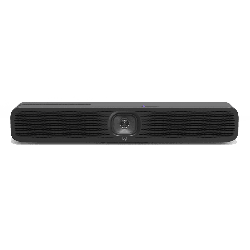
Starting composition
References and quantities confirmed in the quote depending on availability.
Commissioning to plan
- Choice of connection and location
- Audio/video installation and configuration
- Check with the chosen software and laptops
Two variants to size
- Existing display: bar and suitable connection
- Room to equip: display and mounts sized
The laptop, display, mounts and long-distance cables are not included in this starting composition. Compatibility, layout and meeting licences to be confirmed.
Get a quote for this offer ↗09Standalone meeting roomA dedicated meeting solution, sized for your room.
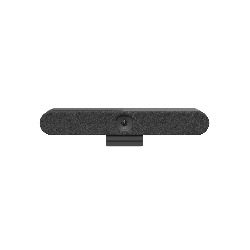
Starting composition
References and quantities confirmed in the quote depending on availability.
Commissioning to plan
- Study of the room and meeting platform
- Preparation of the dedicated system and access
- Installation, audio/video check and onboarding
Two variants to size
- Equipped room: integration with an existing compatible display
- Complete room: display, control and mounts sized
Platform, room licences, controller, display, mounts and network are selected in the quote. The final composition and certified versions are validated before ordering.
Get a quote for this offer ↗10Installed professional workstationA workstation sized for your software and projects.
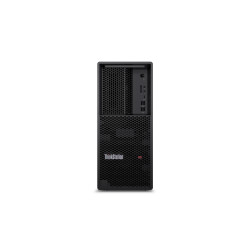
Starting composition
- 1 × Lenovo ThinkStation P3 Tower Gen 2 — Ultra 7 265, 32 GB, SSD 1 TB, RTX 2000 Ada
- 1 × Philips 27B2N3500J/00 — 27" QHD IPS 120 Hz monitor
References and quantities confirmed in the quote depending on availability.
Commissioning to plan
- Validation of software needs and resources
- Preparation of licensed applications and peripherals
- Check on a use case defined in the quote
Two variants to size
- Workstation only: configuration for a defined use
- Complete setup: workstation, monitor and sized backup
Performance depends on software and data. Additional storage, software, migration and backup are priced separately; no universal AI use is promised.
Service details: Preparation and configuration of a business computer
Get a quote for this offer ↗One contact for everything
What you entrust to us
the project.
We connect
the steps.
One computer or an entire fleet: we define with you the equipment, services and schedule suited to your business.
Explore business computers ↗Choosing the right hardware
We start from your trades, software and budget to propose the right configurations and accessories. Already chosen a model? We check that it fits your project.
Preparing your environment
Applications, accounts, access and security settings as planned in the quote. Files and profiles to transfer are identified, along with the licences and rights required.
Organising commissioning
Installation on site or remotely as needed. For a fleet refresh, a pilot computer or batch deployment can be planned to limit disruption.
Checking and supporting
We check with you the functions planned in the quote: sign-in, applications, access to files and the peripherals concerned. Remaining points and onboarding information are identified. Post-installation follow-up can complement the proposal.
A complete view before you decide
The hardware. The licences. The installation.
A quote that sets everything out.
A product’s price covers the hardware. Your quote separately identifies equipment, any licences, computer preparation, the chosen data migration and commissioning. The number of computers, applications, data volume and travel arrangements determine the scope to price. We agree the schedule with you before the intervention.
Let's talk specifics
Your business,
your constraints.
Points to clarify before planning your installation.
What information should I provide to get a quote?
State the number of computers, uses, software, equipment to keep, installation location and preferred date. Specify the files to migrate and your business constraints. Administrator access and required licences are identified before preparation.
Where can you work?
Pepro works from Grigny, in Essonne, south of Paris. We define with you what can be prepared remotely and what requires on-site work. The area, travel and any costs are confirmed in the quote.
Will we keep our files and software?
We define together the data and applications to migrate. Compatibility, licences and access rights are checked before agreeing on the transfer.
How should we plan the computer changeover?
We organise the schedule with you, according to the number of devices and your activity: advance preparation, a pilot computer or gradual deployment depending on the project.
And once the installation is complete?
Onboarding is part of the scope to define. To support your fleet over time, you can also plan managed IT follow-up.
A deployment in Essonne? Let’s start from your team.
From Grigny, we prepare computers and organise on-site work in Essonne or the Paris region depending on the assignment. Existing hardware, several offices or a tight schedule: these constraints are reviewed before setting the scope.
For ongoing support, see our managed IT for growing organisations. Computing and AI needs have dedicated support: supply and preparation of GPU servers.
Your next equipment starts here
What do you need
to make operational?
State your uses, number of computers, installation location and schedule. We will build a proposal with you for the hardware and its commissioning. Pepro works from Grigny, in Essonne, remotely or on site; travel is defined in the quote.